The diabetes journal
that keeps context together
Log meals, record corrections, and review the history around them in one clear timeline.
The public demo is a product preview. It does not provide medical advice.
Why it matters
Less reconstruction.
More useful context.
A consistent diary makes it easier to understand what happened around a meal and to discuss recurring situations with a qualified healthcare professional.
Three jobs — one tool
Log meals, track corrections,
and review the history around them
Keep the details you choose to record in a timeline that remains readable later.
Log meals
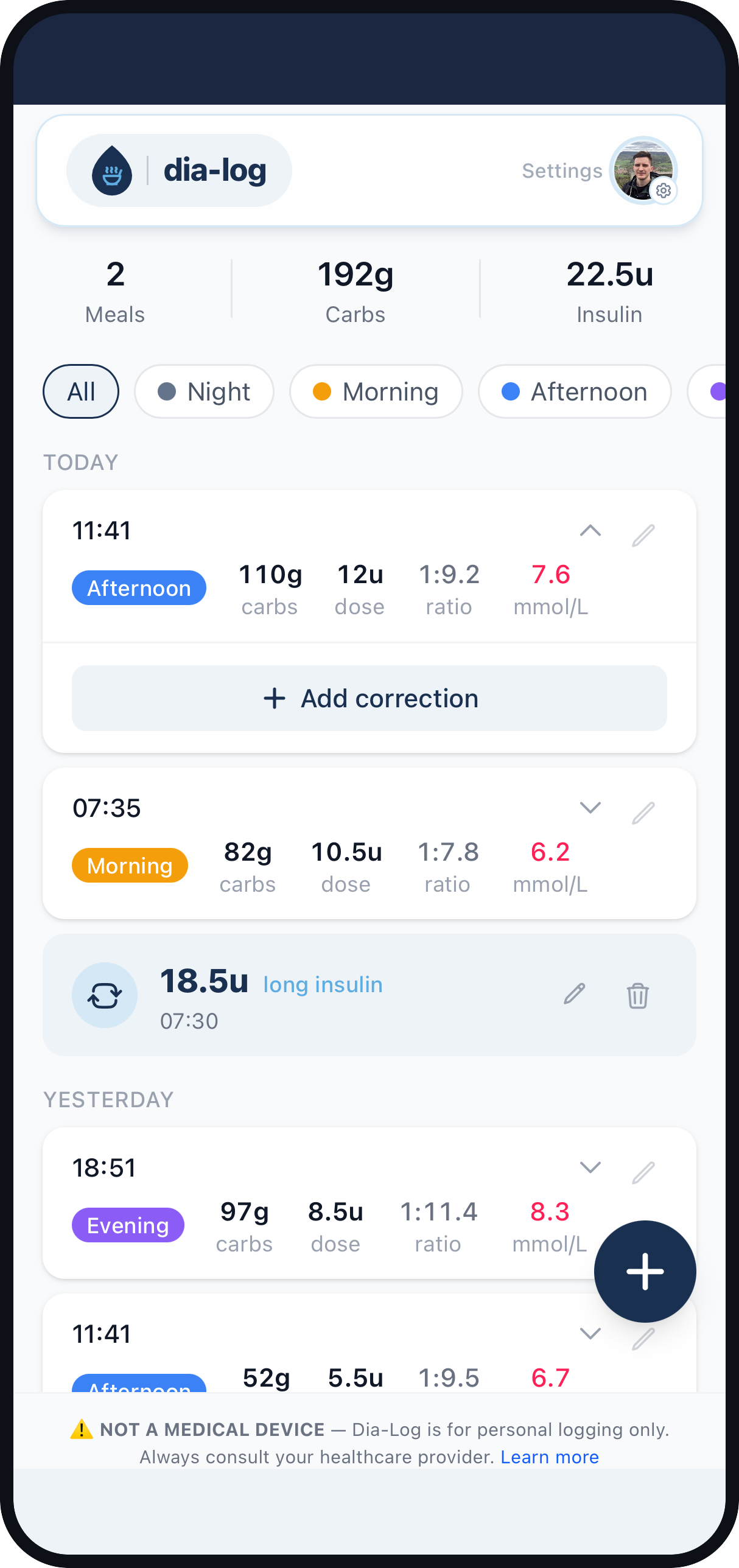
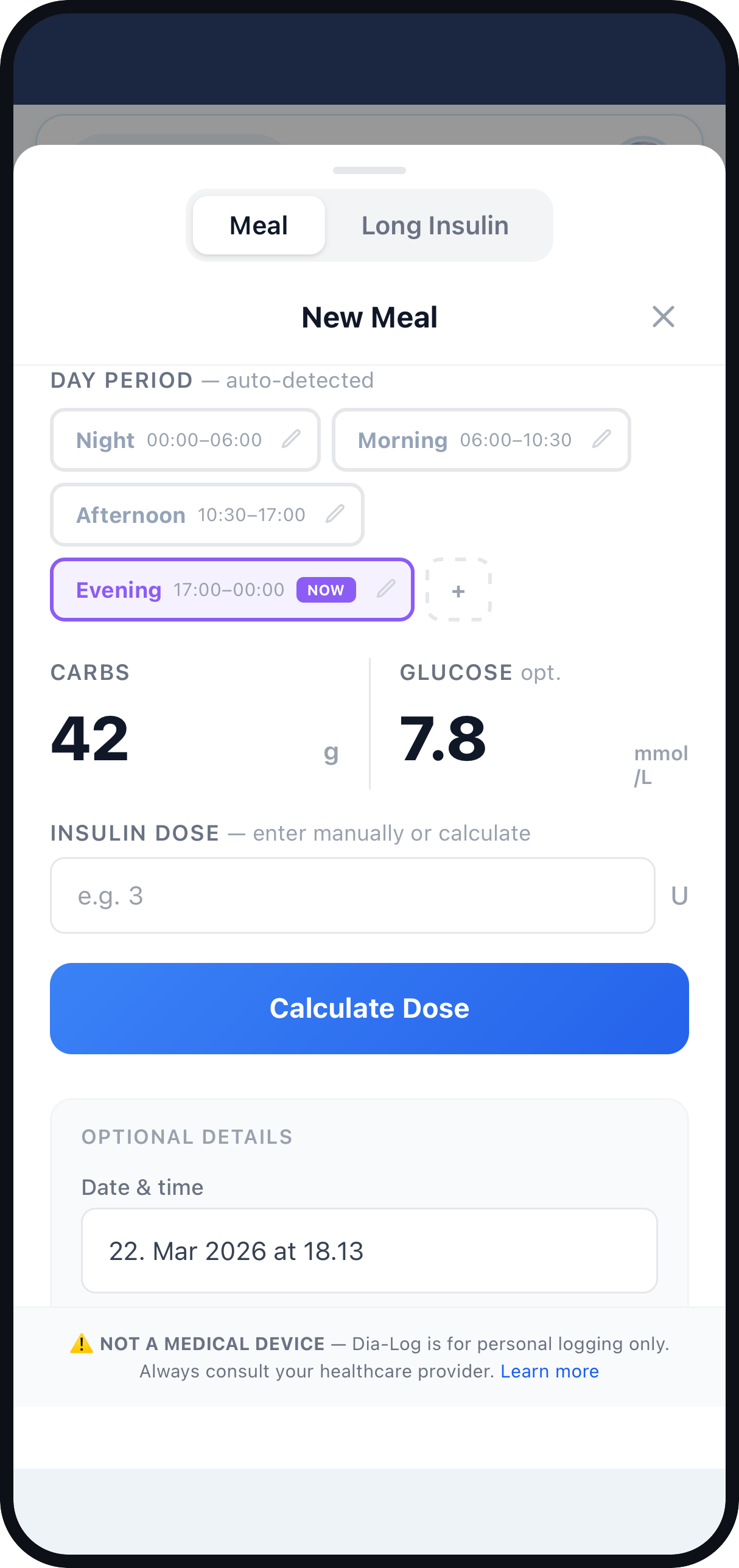
Keep carbs, glucose and the dose you chose together in one clear timeline. No food database or long form to get through.
Track corrections
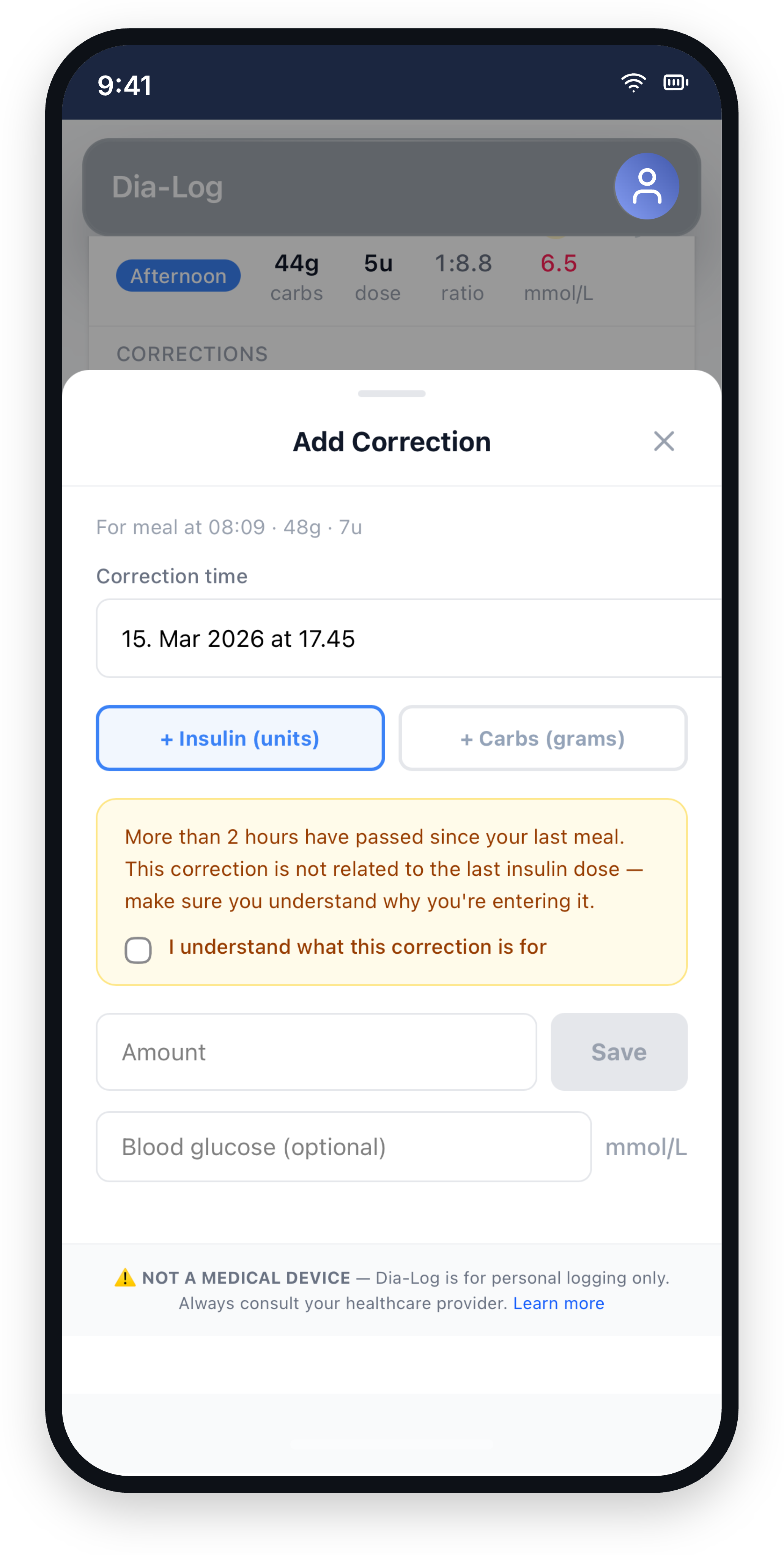
When a reading changes after a meal, record the correction beside the original entry so the sequence still makes sense later.
Review patterns
Use filters and the diary history to notice repeated situations and prepare a more useful conversation with your care team.
Safe demo
Explore the interface with fictional records
The preview is isolated from Google, the live API, service workers and the private app database.
Fictional preview
Diary · 30 days
Fictional meal record
Linked fictional record
Fictional meal record
Fictional data · No sign-in · Resets on reload
What you get
A diary designed to stay useful
Seconds, not minutes
Enter the numbers you already know. No barcode scanning, recipe search or long questionnaire.
A readable history
Meals, corrections and context stay together instead of being scattered across notes and screenshots.
Corrections with context
Record what happened, when it happened and which earlier entry it relates to.
Details that stick
Quick tags for stress, exercise, alcohol or a large portion make an old record easier to understand.
Sound familiar?
Whether you have lived with diabetes for a year or a decade, keeping useful records takes energy.
The goal is simple: spend less effort reconstructing the past and keep the context you may need later.
How Dia-Log works
Step by step
Put the important details in one entry
See the sequence instead of isolated numbers
Record what happened after the meal
How the record changes
Before and after
Numbers scattered between memory, notes and screenshots
One meal entry with the details you chose to record.
"That happened before" — but no easy way to find the earlier example
A filterable history of similar records and their context.
A correction was made, but its timing and context were lost
The correction stays linked to the earlier diary entry.
Reconstructing a month of events before an appointment
A consistent diary that is ready to review.
“But what if…” — answered
What can I try right now?
The public demo contains deterministic fictional records. You can explore and edit them safely; everything resets when the page reloads.
Does the demo use my Google account or health data?
No. The demo does not sign you in, connect to Google, open the live database or send diary records to the private API.
How do I access the working product?
The working product is a restricted private build. Allowlisted users can choose Private access in the navigation and sign in with Google.
Is Dia-Log a medical device?
No. The website and demo are for product preview and record keeping. They do not provide medical advice or make treatment decisions.
Can I hear about public access?
Yes. Join the waitlist and we will use your email only for occasional Dia-Log launch updates.
What you have probably already tried
And why the record still becomes hard to use
Spreadsheets and notes
Flexible, but every connection between a meal, reading and correction has to be rebuilt manually.
Dia-Log: Dia-Log keeps related diary records in one timeline and makes them easier to filter.
General diary apps
Long forms and unrelated fields can make a quick entry feel like administrative work.
Dia-Log: Dia-Log focuses the flow on meals, readings, corrections and short context tags.
Choose the right path
Preview in your browser
New visitors can explore the fictional demo. The working product remains separate and available only to allowlisted private users.
Fictional demo data
Private live access
Public launch updates
Keep the record.
Keep the context.
Explore Dia-Log with fictional data first.